Already have a site?
Get your recipes in
Peristyle builds your site from the recipes you already post. Add a card and the first 30 days are free.

Three steps, then your recipes are in
No call, no contract, no plugin to babysit. Here's the whole path.
- 01
Say where
Just your name and email; everything else is optional. Takes about a minute.
- 02
Prove it's yours
A quick DNS or meta-tag check, no password and no plugin. No website? It gets confirmed by hand instead.
- 03
Watch them land
Your archive goes live, shoppable, with your name and a link back on every one.
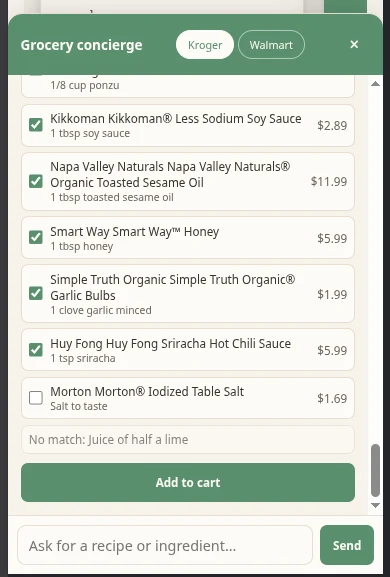
A reader's AI assistant, actually shopping the recipe
This ran in ChatGPT, no browser tab, no copying ingredients by hand. A reader asks for a recipe from a creator who set this up; the recipe comes back with their name and a link to their page, and one message later the ingredients land in a ready Walmart cart with the sale credited back to the creator.
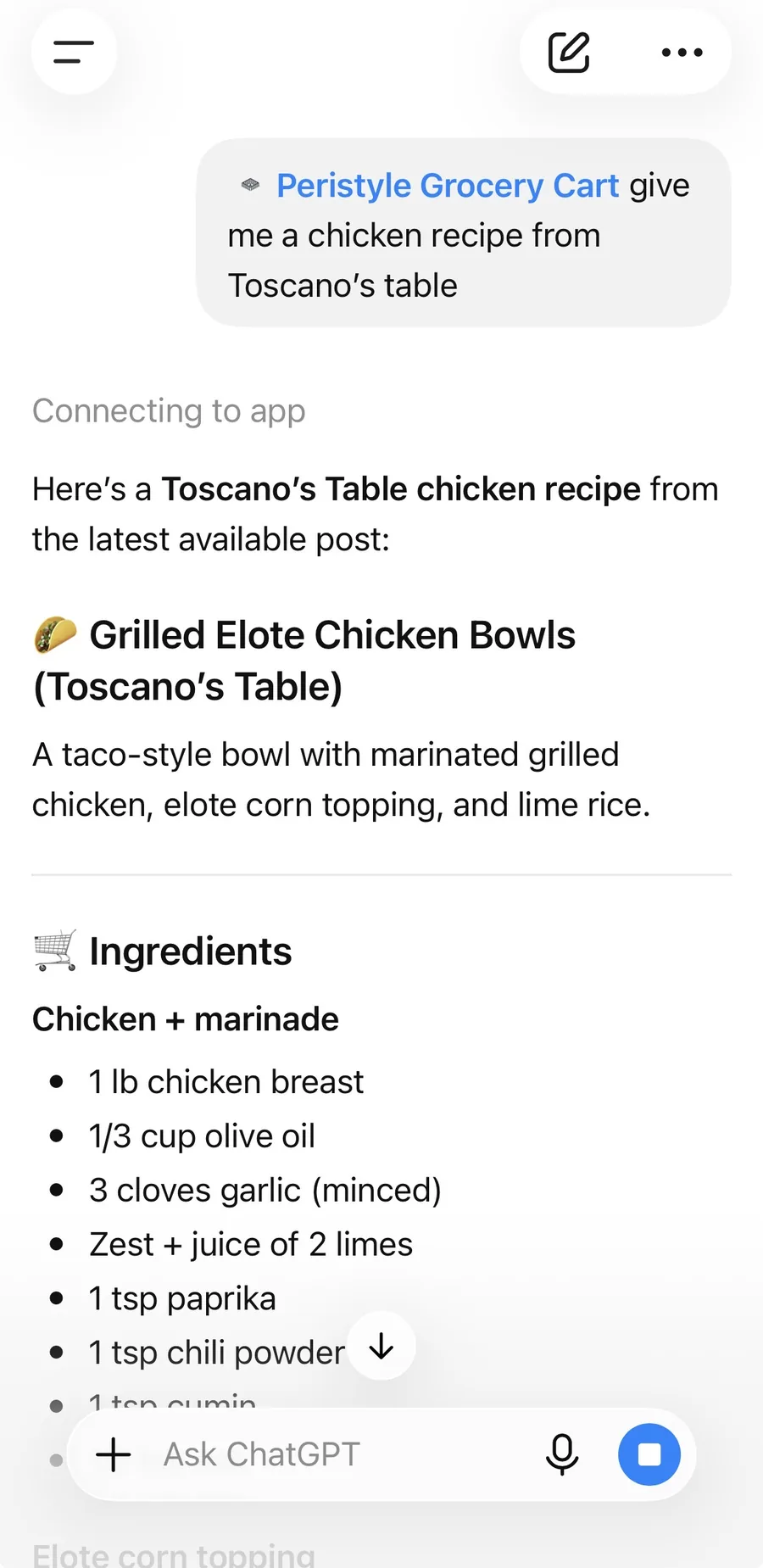
A reader asks their assistant for a recipe from a creator's site.
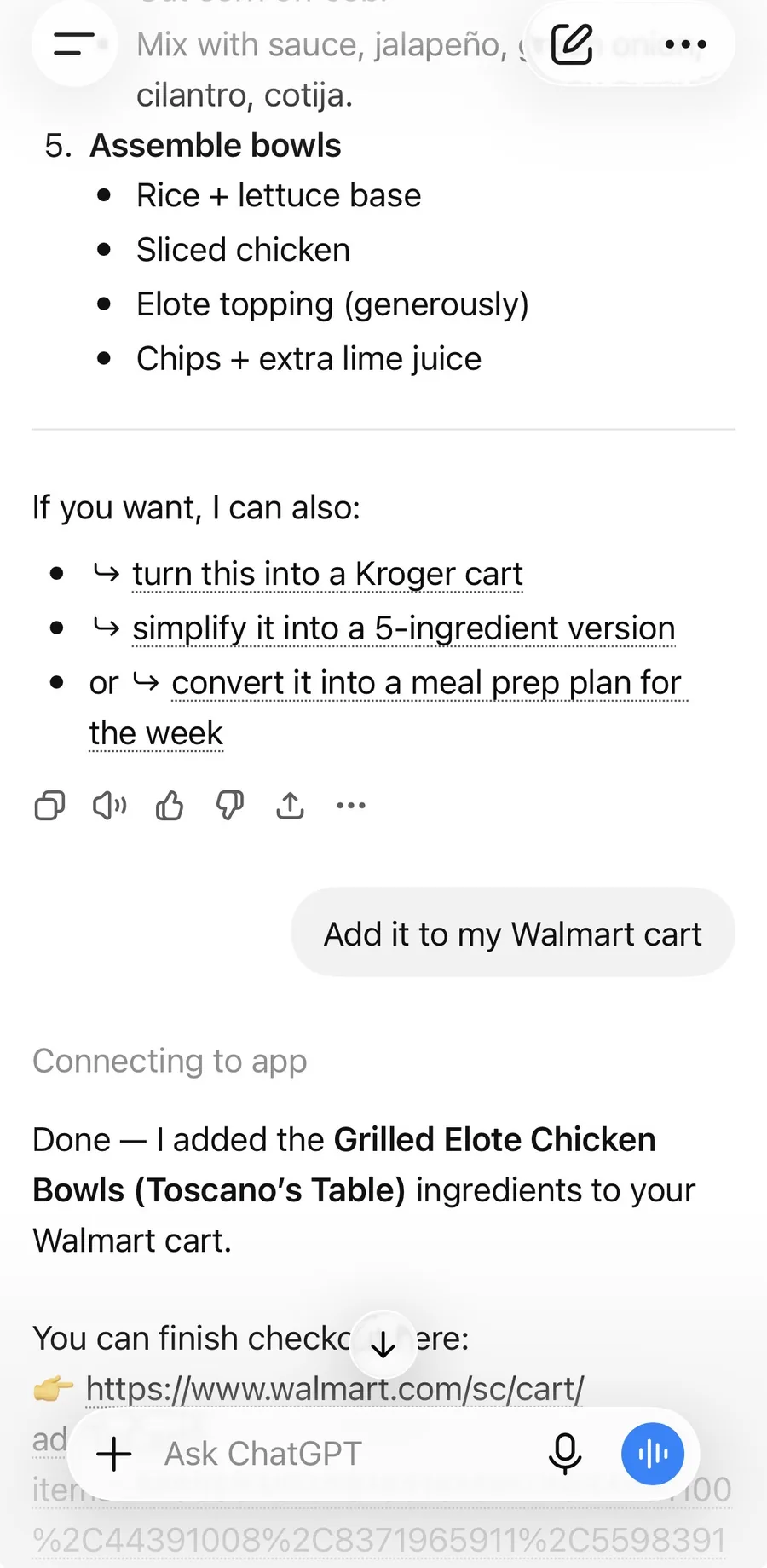
One message adds every ingredient to their Walmart cart.
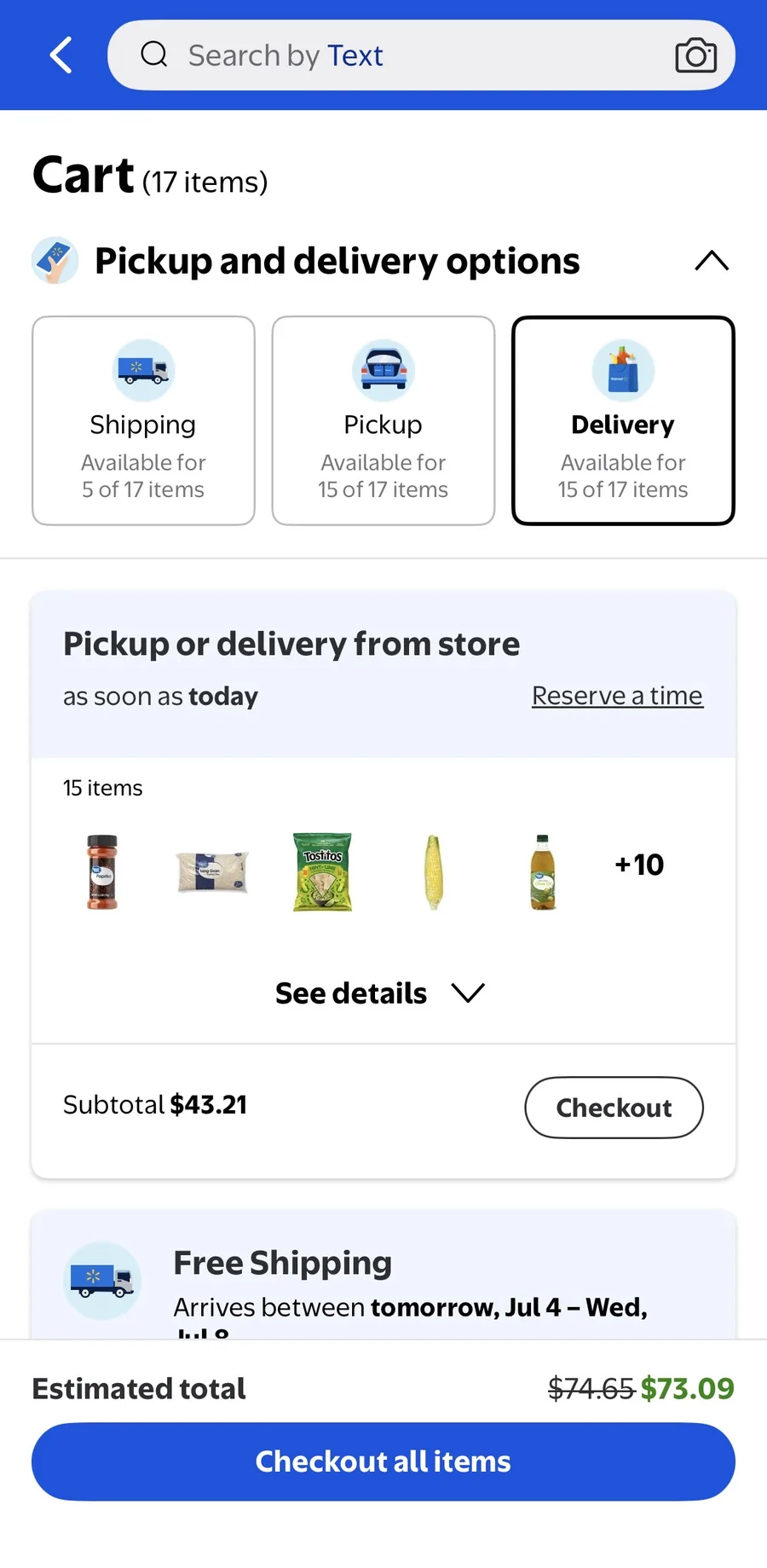
A full cart lands, ready for pickup or delivery, with the sale credited back to the recipe's creator.
Try it in ChatGPT or Claude
Connect the Peristyle Grocery Cart to ChatGPT or Claude once, then any recipe is one message away from a ready-to-checkout cart. Two steps:
Connect Peristyle to your assistant(one time — skip if you've done this)
In ChatGPT it’s one click. Everywhere else, copy the URL below.
Official Peristyle Grocery Cart plugin
Using Claude or another app?
https://mcp.peristyle.io/mcpHow to add it in Claude
- Open Claude on the web or desktop app and go to Settings → Connectors.
- Choose Add custom connector, name it Peristyle Grocery Cart, and paste the URL above.
- In a new chat, check the tools menu (the sliders icon) to make sure the connector is enabled.
Custom connectors work on any Claude plan, including the free one.
How to add it in ChatGPT manually (without the plugin)
- ChatGPT calls these apps. Go to Settings → Apps & Connectors (on some plans just Connectors).
- Under Advanced settings, turn on Developer mode.
- Choose Create, name it Peristyle Grocery Cart, paste the URL above as the MCP server URL, set authentication to OAuth, and save.
Other apps (Cursor, Claude Code, Zed…)
Any app that supports MCP servers works — add the URL above as a remote MCP server in its integrations or MCP settings.
Ask for a recipe
Paste a prompt like this into a new chat — swap in whatever you're craving:
Using the Peristyle Grocery Cart connector, find a recipe for Grilled Greek Chicken, match its ingredients to products at my grocery store, show me what you picked, then get everything into a cart for me.Tell us where your recipes live
All it takes is your name, your email, and wherever your recipes and content live - website, Instagram, or TikTok.
Not sure yet? See what going live includes.
Already signed up? Open your dashboard to pick up where you left off.
Stuck? Email keith@peristyle.io with your site URL to get the conversation started.